Enabling & Configuring Merge Protections
How to enable Merge Protections, pick a reporting method, and decide whether the check needs to be required in GitHub.
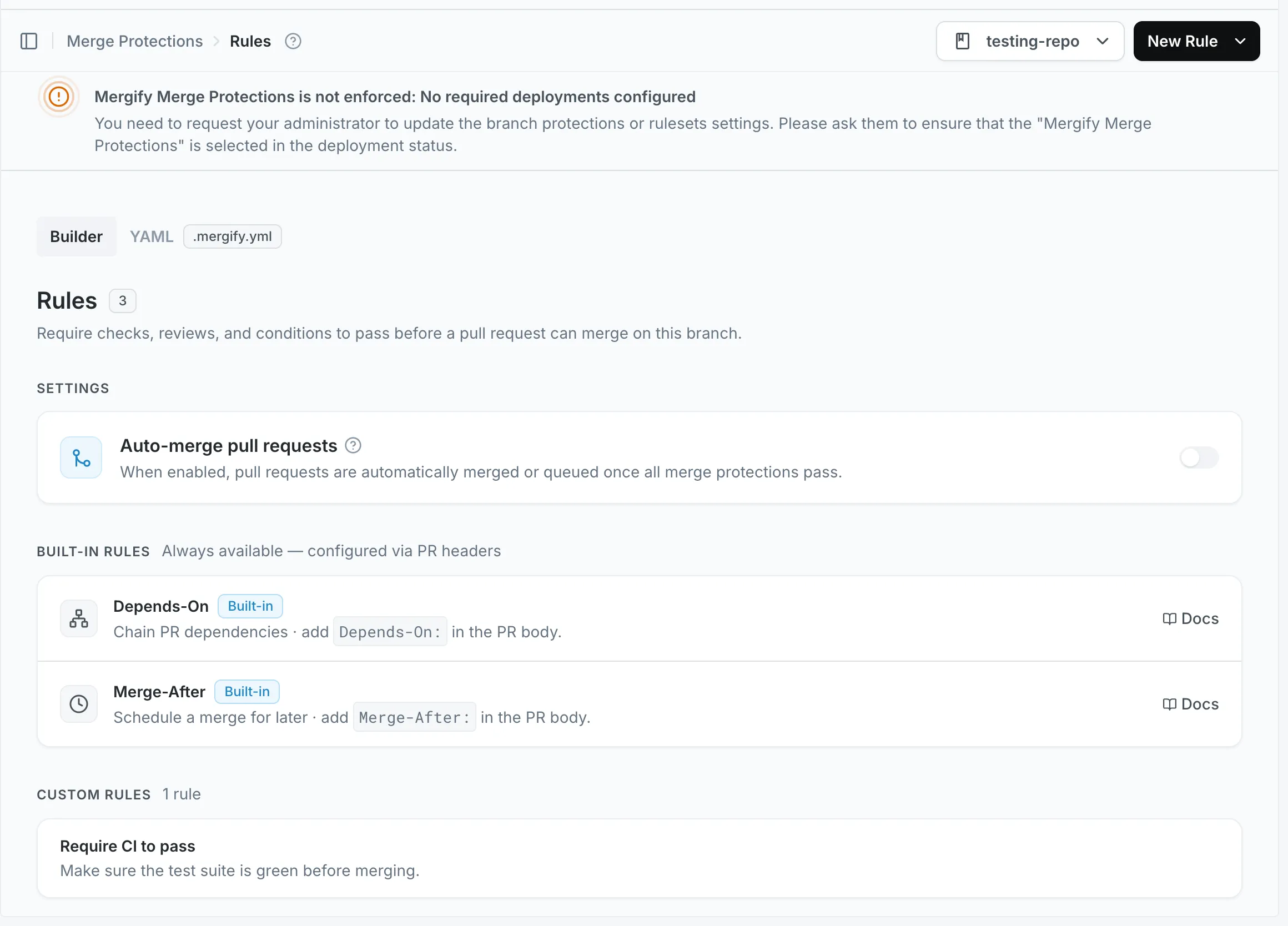
Enable in the Dashboard
Section titled Enable in the Dashboard- Go to the Mergify dashboard
- Click the
Merge Protectionssection - Select your repository
- Enable the feature and create rules
Reporting Method: check-runs vs deployments
Section titled Reporting Method: check-runs vs deploymentsYou can configure how Merge Protections report their status to GitHub using the
reporting_method option in your configuration. This controls whether the
protection status appears as a GitHub Check Run or as a Deployment.
-
check-runs(default): Reports the protection status as a standard GitHub check on the pull request. This is the most common and compatible method.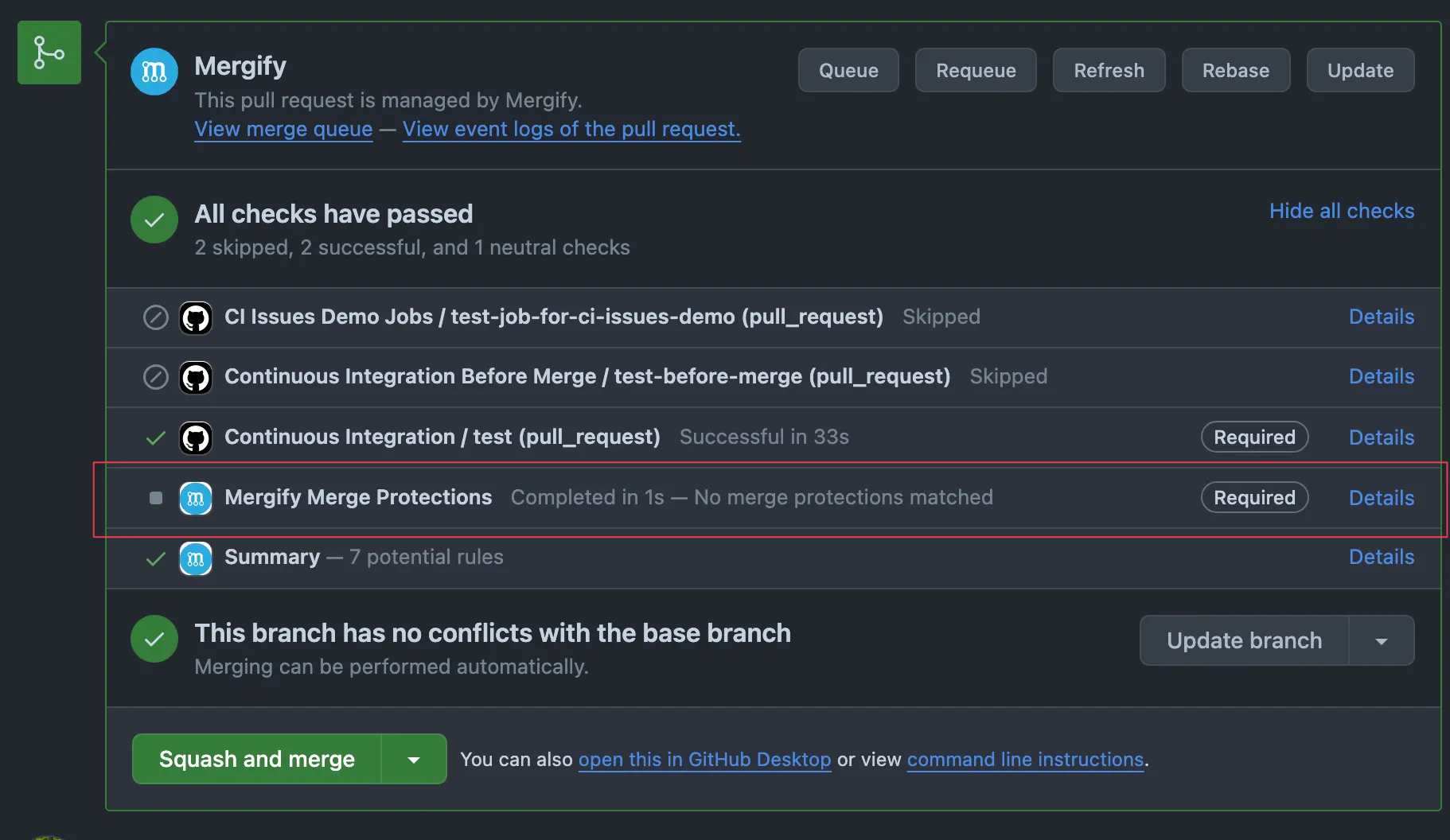
-
deployments: Reports the protection status as a GitHub Deployment. This can be useful if your workflow or compliance requirements rely on deployment status.
Example configuration:
merge_protections_settings: reporting_method: check-runs # or deployments # Post a comment with details about required rules post_comment: true # Automatically merge or queue PRs when all protections pass auto_merge_conditions: trueChoose the method that best fits your integration and compliance needs.
Auto-Merge
Section titled Auto-MergeThe auto_merge_conditions option automatically merges or queues pull
requests when all merge protection success_conditions pass. It accepts
true for unconditional auto-merge or a list of conditions to restrict the
audience. Auto-merge is disabled when the field is omitted.
See Auto-Merge for the full behavior reference and configuration examples.
Make the Check Required
Section titled Make the Check RequiredEnabling inserts a check named Mergify Merge Protections on each pull
request, or a deployment of the same name if you set
reporting_method: deployments.
Mergify enforces your protections on every merge it performs itself, whether it
comes from the merge queue,
Auto-Merge, or the
merge action: it won’t merge a pull request until
all of its active merge protections succeed. You don’t have to require the
check in GitHub for that to happen.
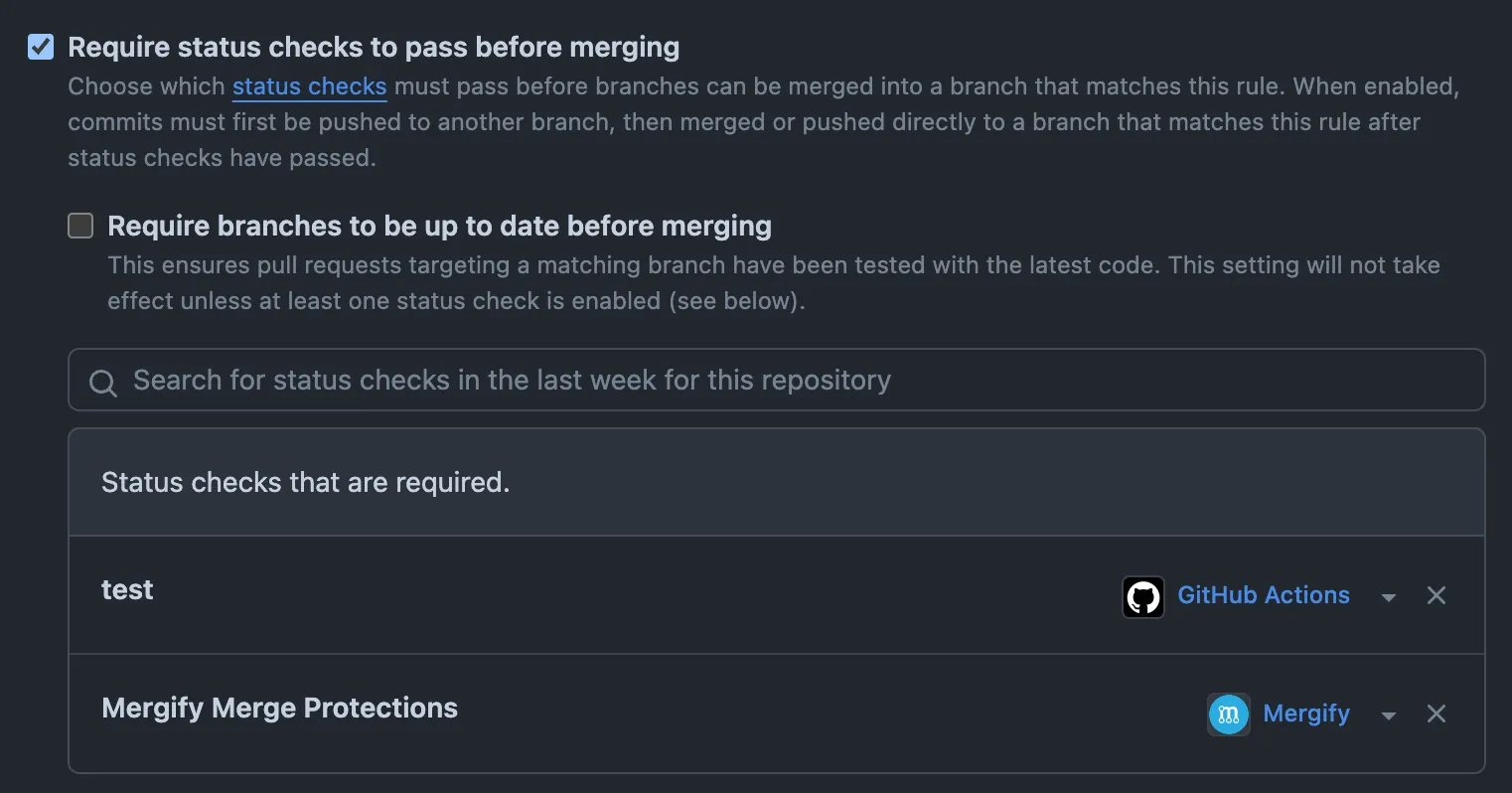
Requiring it in GitHub is what blocks a merge that doesn’t go through Mergify: someone clicking GitHub’s merge button, or another tool calling GitHub’s merge API. Unless every merge on the repository goes through Mergify, mark the result as required, as a check or as a deployment depending on your reporting method:
-
GitHub Branch Protection: Settings → Branches → Add/Edit rule → Require status checks / deployment to succeed → select
Mergify Merge Protections -
GitHub Rulesets: Settings → Rules → Select ruleset → Add required status check / deployment to succeed →
Mergify Merge Protections
When an active protection fails, the check explains why in its output, and in a
summary comment unless you set post_comment: false.
Updating Rules
Section titled Updating Rules- Safe to edit live; re-evaluations happen automatically.
- Renaming a rule only changes display text; logic is defined by the condition blocks.
- Remove obsolete rules to keep explanations short.
Was this page helpful?
Thanks for your feedback!